
All the guides
Every guide on this site, in one place. Each one is something actually built and actually used in a real house, not something read about and summarised. That means the mistakes are in here too, because the mistake is usually the part worth reading.
Each guide comes in two halves. The first half is the story of what happened and why it matters, with nothing to type and nothing to install. The second half is the practical instructions, with every command explained in plain words before it appears. You are very welcome to read only the first half.
The guides below are newest first, which is not the order you should build them in. Start here instead for the nine steps in a sensible order.
Find a guide
Narrow it down by subject
-
 Keeping things safe
Prove nothing is using it before you switch it off
Close the door, stop the program, keep the data. Check first, and make every step reversible.
-
 When things lie
Read the record before you trust your own memory
The remembered pattern was simply wrong, and two unrelated causes were wearing the same disguise.
-
 Around the house
Your computer is not dying. The thing watching it is cooking it.
Overheating that looked exactly like failing hardware was the monitoring software holding a core busy around the clock.
-
When things lie
The series: when the computer lies to you
Five guides that tell one continuous story, about machines that cheerfully report that everything is fine while doing nothing at all. If you only read one thing on this site, read this. It is really about how to think when something tells you a thing that is not true, which stops being a computer problem fairly quickly.
- Part 1 of 5 My assistant told me it had done the job. It had not. An AI will describe finishing work it never started, and asking it politely to stop does not work. Here is the thing that does. 7 minute read
- Part 2 of 5 The most dangerous alert is the one that says everything is fine A nightly job reported success for weeks while doing absolutely nothing, because a check that can only ever say ok is not a check. 7 minute read
- Part 3 of 5 Before you fix the machine, prove the gauge is not the broken part Days of outage warnings about a service that was healthy the whole time. A broken gauge does not read honestly, it reads empty. 7 minute read
- Part 4 of 5 The health check that caused the outage it was watching for Asking are you ok too expensively is how the question itself becomes the problem. 7 minute read
- Part 5 of 5 My research assistant made things up for three weeks A piece of plumbing quietly removed its ability to look anything up, so it invented answers instead, and everything still reported perfectly healthy. 10 minute read
-
 AI
AII built a music studio out of free software
Original music made on your own graphics card, separated into individual instruments and finished properly. Free the whole way, and nothing leaves the machine.
-
 Keeping things safe
Passwords leak from boring places, not dramatic ones
Not a break in. A password typed into a script, a backup anyone could read, and a test that printed the real key to the screen.
-
 Keeping things safe
Give every job its own key
One password copied everywhere turns one small mistake into all of them at once.
-
 When things lie
Measure before you delete
Sixty files to tidy, three of them causing the problem, and a sweep that would have taken the password backup with it.
-
 When things lie
Never let a robot spend your money while you sleep
See it, predict it and pause, check the environment rather than the settings file, and put the expensive road out of reach instead of merely discouraging it.
-
 When things lie
Nine things I got wrong so you do not have to
The rules that were paid for with real mistakes, written down so that a few of yours come free.
-
 Networks
Reach your own computers from anywhere without opening your front door
A private network joining your machines over the internet, with nothing exposed. Includes the routing problem that looks exactly like slow hardware.
-
 Films and backups
A backup you have never tested is just a hope
Three copies, two kinds of storage, one kept elsewhere, and the test that proves the whole arrangement actually works.
-
 AI
AIWhat people actually mean by an AI agent
Three plain parts: a model, a way to talk to it, and a short list of jobs it may do. The list is the risk, not the model.
-
 Around the house
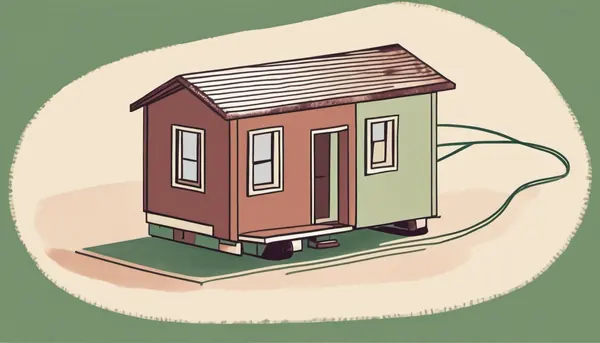
This website lives in a spare room
This very page is served from a small computer at home, reachable without opening your home network. Ten dollars a year, everything included.
-
 Around the house
A smart home that is not listening for somebody else
Local control and local voice, with no account required. The lights still work when the internet is down.
-
 Films and backups
Keep the films you paid for
Your own film library on a computer too old to sell, so nothing disappears because a licensing deal ended.
-
 Networks
How to remove ads from every screen in your house at once
One small computer between your router and everything else. Works on the television and the phones, and includes the week I spent thinking I had broken it.
-
 AI
AII stopped renting my own thinking
A capable AI assistant running on a computer you already own. No subscription, and nothing you ask it leaves the house.
-
Networks
Guide 23: text messages with no internet and no phone company
Long range radio equipment you own outright, so a message still gets through when the usual network does not. This one is planned rather than built, and it will not be written up until it actually works.
No guide matches that. Try another subject, or a plainer word such as backup, music, ads or password.
This page in the original Kyber Cypher voice: LEARN